Mobile App Design · Case Study

Neurokami

A more welcoming space for neurodiverse minds.

From information architecture and early wireframes to a polished mobile experience for resources, accessibility, and community.

View prototype Explore the interactive Figma prototype

Neurokami is a mobile app concept designed for the neurodiverse community. The project focused on UI/UX design and the consideration of accessibility features, bringing a resource library together with ways to connect and build community.

Project Role
UI/UX Design
Platform
Mobile app concept
Design Focus
Accessibility · Community · Resource discovery
Prototype
View interactive prototype ↗

From research to screen

User research

The project paired user personas with peer-reviewed research on autism, ADHD, and dyslexia to guide accessibility considerations for the app.

ADHD · Student

Marel Brick

22 · Student · Boston, MA

Context

A university student who commutes and balances classes, activities, and volunteering. Marel wants to meet people beyond a small existing friend group.

Challenges

Time management and visual disorganization can make it hard to stay on top of classes and assignments. Notifications and busy interfaces can pull attention away.

Design need: make social connection comfortable and keep key information organized and easy to return to.

Start with the way people move through the app.

The early structure groups the experience around onboarding, a home feed, messaging, resources, and settings. This gives each major task a clear place and makes the primary destinations easy to reach.

Test questions
Skip Testing
Home Feed
Settings
Font style/size
Vivid/Calm Color
Messenger
Group chat
Resources/Research
Articles/Tests/etc.
Home Resource Feed
Add post

The map follows the path from login and onboarding into the app’s main destinations.

A clear, accessible interface

A soft purple palette, clear typography, rounded controls, and persistent navigation shape the interface, with accessibility options built into settings.

Color palette

The standard interface uses saturated purple and magenta with teal and light neutral tones. Calm Mode has a separate, softer palette.

Primary Purple · #5B46B8

The main action color, used for buttons and prominent interface controls.

Calm Mode palette

An optional softer palette for neurodivergent users who prefer a quieter visual experience.

Muted Purple · #72668A

A softened purple that keeps the brand color present with a gentler feel.

Accessibility options

Neurokami includes settings that let people adjust the interface to suit their preferences.

Text size

Adjust text size with an on-screen control, making interface copy easier to read at a comfortable scale.

Calm Mode

Switch to a softer color palette designed for neurodivergent users who prefer a quieter visual experience.

Typography hierarchy

Roboto is used throughout the app. Differences in size and weight create a clear hierarchy for titles, interface labels, and body copy.

Display · Large / Bold

Large, bold type gives welcome and screen titles a clear first read.

Work out the hierarchy before the visual details.

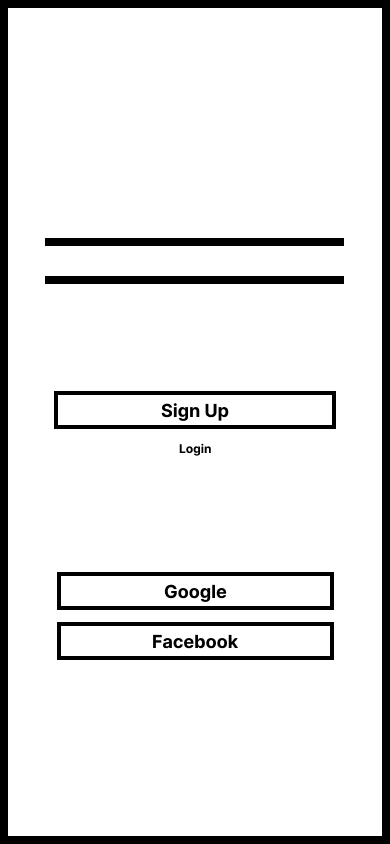
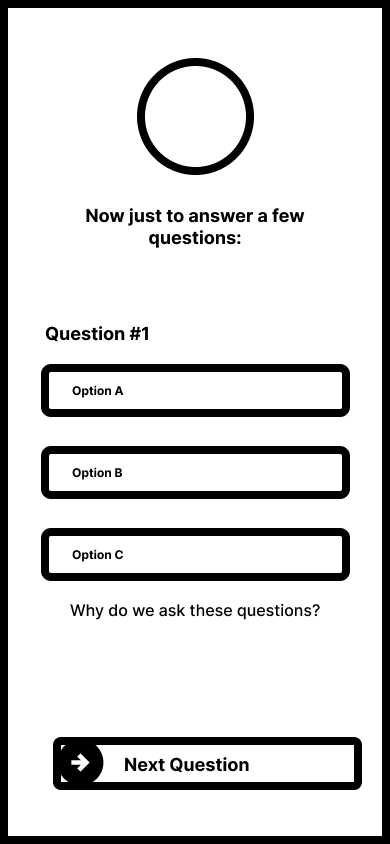
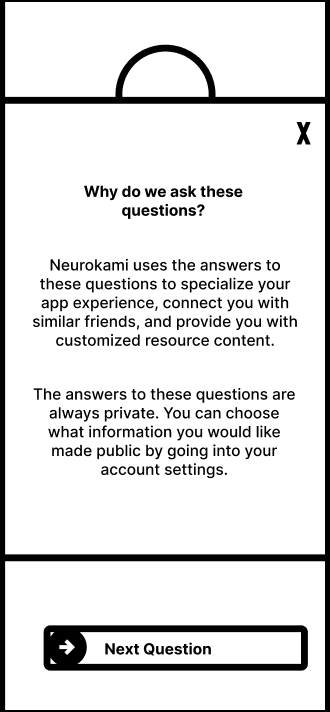
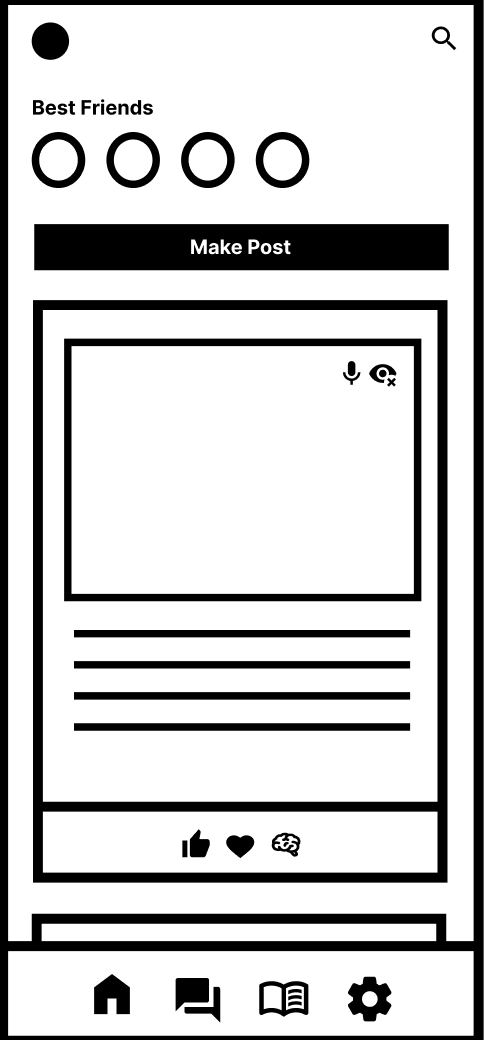
Low-fidelity screens map the basic layout and navigation for sign-in, the home feed, conversations, and the resource library. Keeping these screens simple makes the content order and core actions easy to assess.

Low-fidelity Neurokami sign-up page with social sign-in options
Sign upCreate an account or choose a social sign-in option
Low-fidelity Neurokami account personalization question screen
Account questionsPersonalize the experience during onboarding
Low-fidelity explanatory dialog wireframe for Neurokami personalization questions
Explain the questionsClarify why personalizing questions are asked
Low-fidelity Neurokami home feed wireframe with friends, posts, and bottom navigation
Home feedFriends, posts, and primary navigation
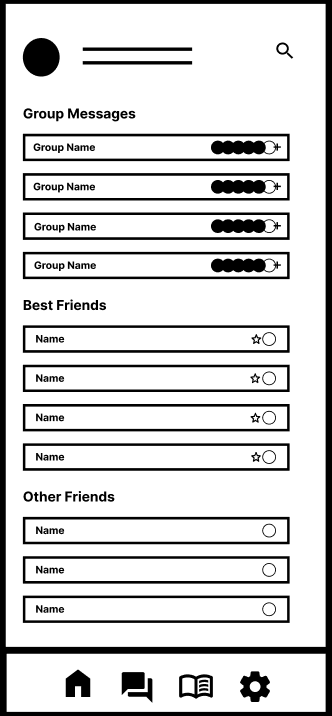
Low-fidelity Neurokami messages wireframe organizing group messages and friends
MessagesSeparate group, close friend, and other friend lists
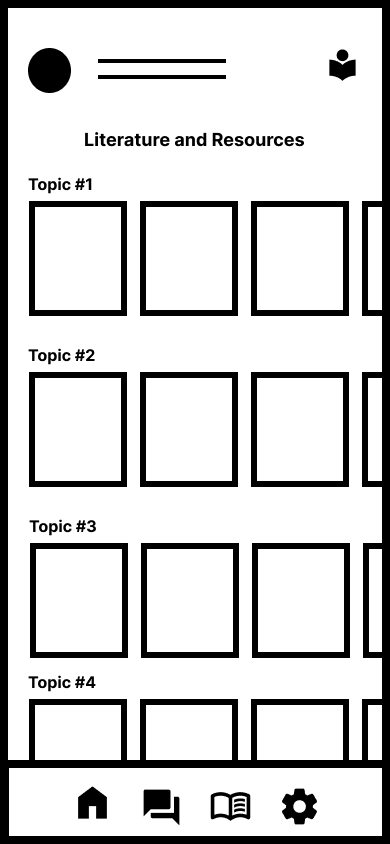
Low-fidelity Neurokami resources screen with topic categories
ResourcesBrowse literature and resources by topic
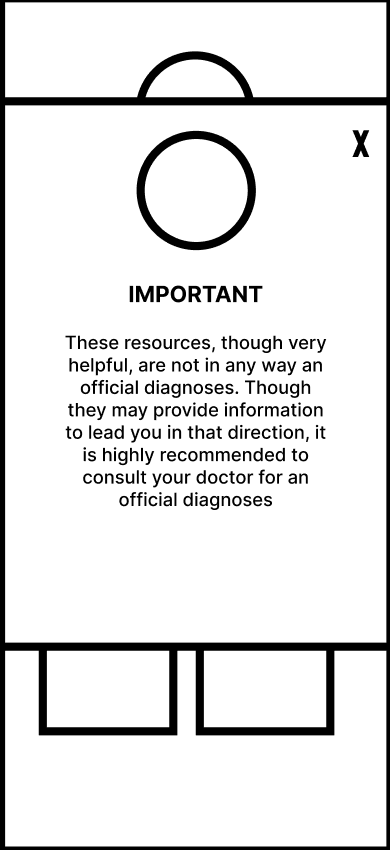
Low-fidelity resource disclaimer popup wireframe
Resource contextPlace a disclaimer alongside resource content
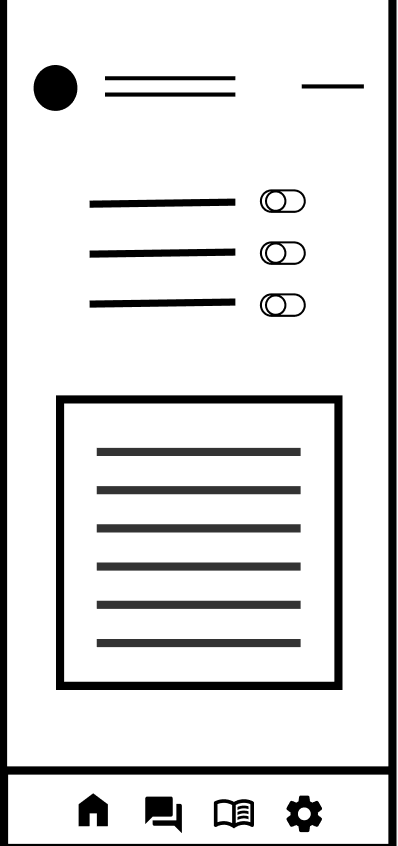
Low-fidelity Neurokami settings wireframe with preference controls
SettingsPreference controls and account options

The finished app experience

Move through the onboarding flow and explore the finished app screens.

Explore the Neurokami app flow.

Open the interactive Figma prototype to move through the designed experience.

View prototype